Skip to main content
Assets Module Release Notes: August 2026
Enhancements
Pass All Button Visibility Improved for Checklist Sections
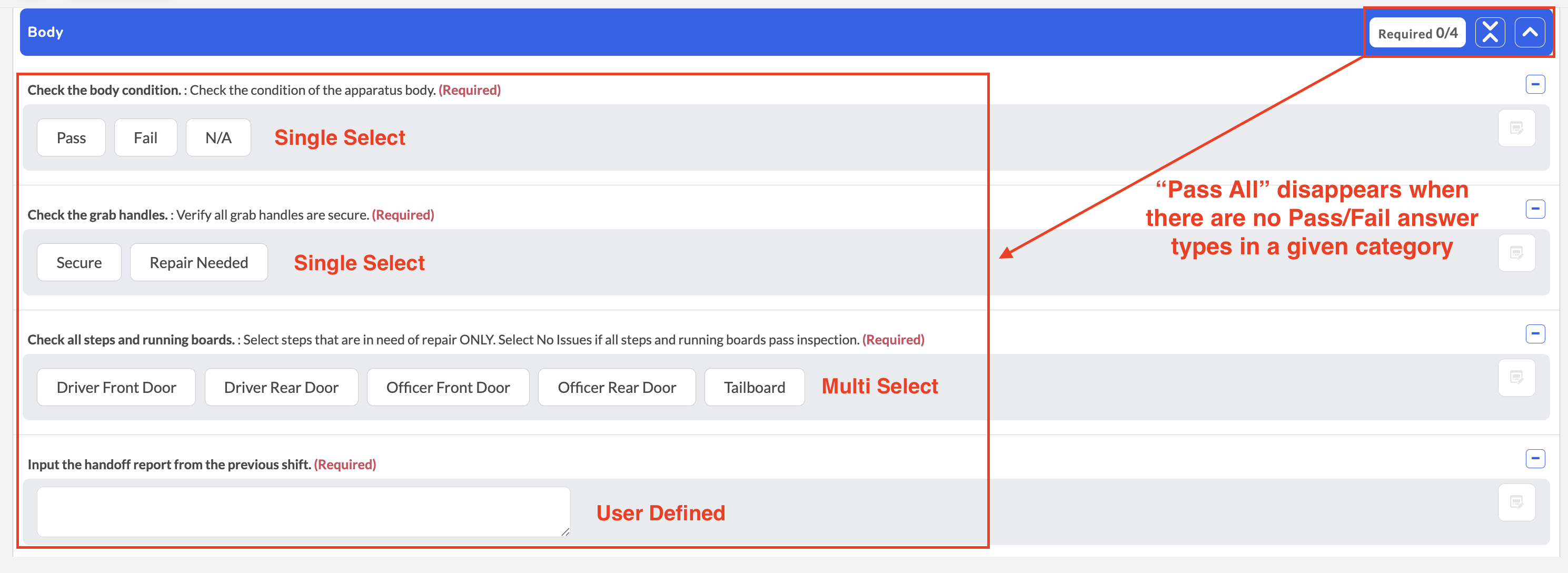
- What - Updated checklist behavior so the Pass All button is only displayed in sections that contain true Pass/Fail questions. Sections containing only single-select questions or other question types no longer display the button, even if single-select options include values such as Pass, Fail, and N/A.
- Why - This improvement reduces confusion by displaying the Pass All button only where it can be used, creating a clearer and more intuitive checklist experience while preserving existing functionality for true Pass/Fail sections.
- How
- Open a checklist or inspection form.
- Navigate through each checklist section.
- Sections containing true Pass/Fail questions will display the Pass All button.
- Sections without true Pass/Fail questions will not display the button.
- Note: Single-select questions that include options such as Pass, Fail, and N/A are not treated as true Pass/Fail questions.
- Use Case - When completing an inspection that contains a mix of Pass/Fail and informational sections, users will only see the Pass All option where it is applicable, making it easier to identify sections that support bulk passing and reducing unnecessary interface elements.
Enhanced Permissions for Archived Equipment Records
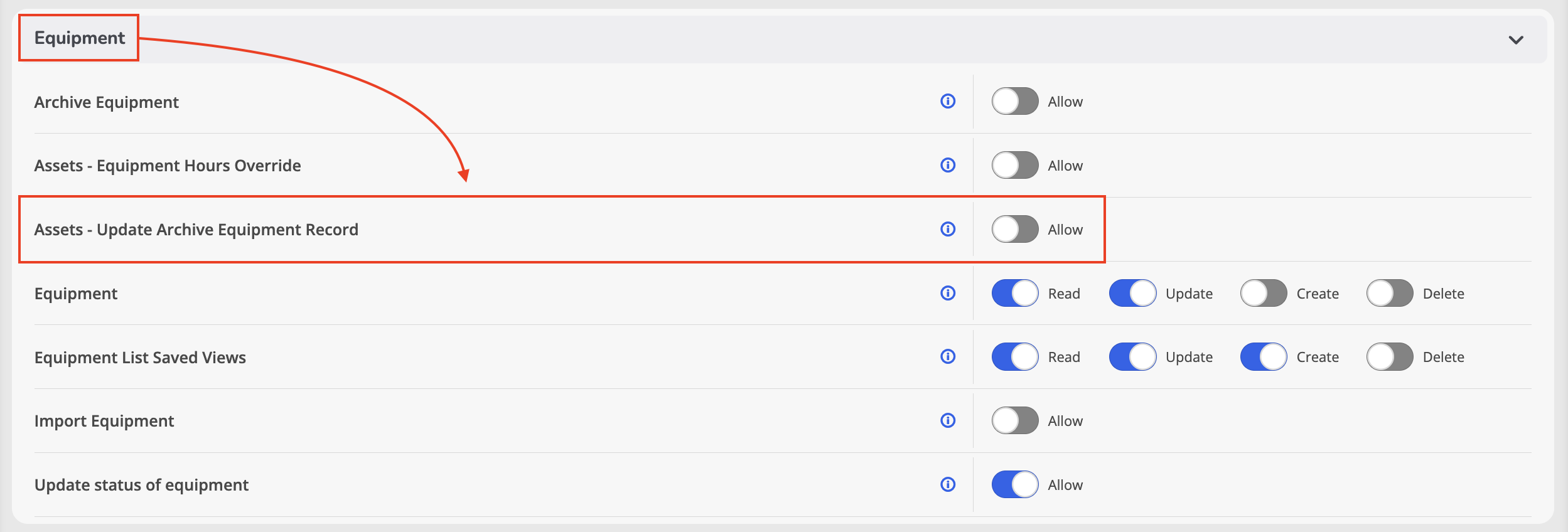
- What - Added a new Update Archive Equipment Record permission that provides administrators with greater control over who can modify archived equipment records. When enabled, authorized users can update a defined set of archived equipment fields while all other archived information remains protected.
- Why - Archived equipment records are intended to serve as historical references. This enhancement helps preserve data integrity by limiting edits to authorized users while still allowing approved updates to specific archived equipment information when necessary.
- How
- Navigate to Administration > Roles & Permissions.
- Assign the Update Archive Equipment Record permission to the appropriate role.
- Ensure the corresponding feature is enabled in your environment.
- Users with the permission can update supported fields on archived equipment records, including service life dates, assignment information, location details, equipment status, description, notes, and other designated archived record fields.
- Note: By default, the permission is assigned only to Global Administrators.
- Note: Users without this permission cannot modify restricted fields on archived equipment records.
- Use Case - When historical equipment information requires a legitimate update, such as correcting assignment details or recording additional notes after an item has been archived, authorized users can make approved changes without compromising the integrity of the archived record.