Skip to main content
Assets Module Release Notes: August 2026
New Features
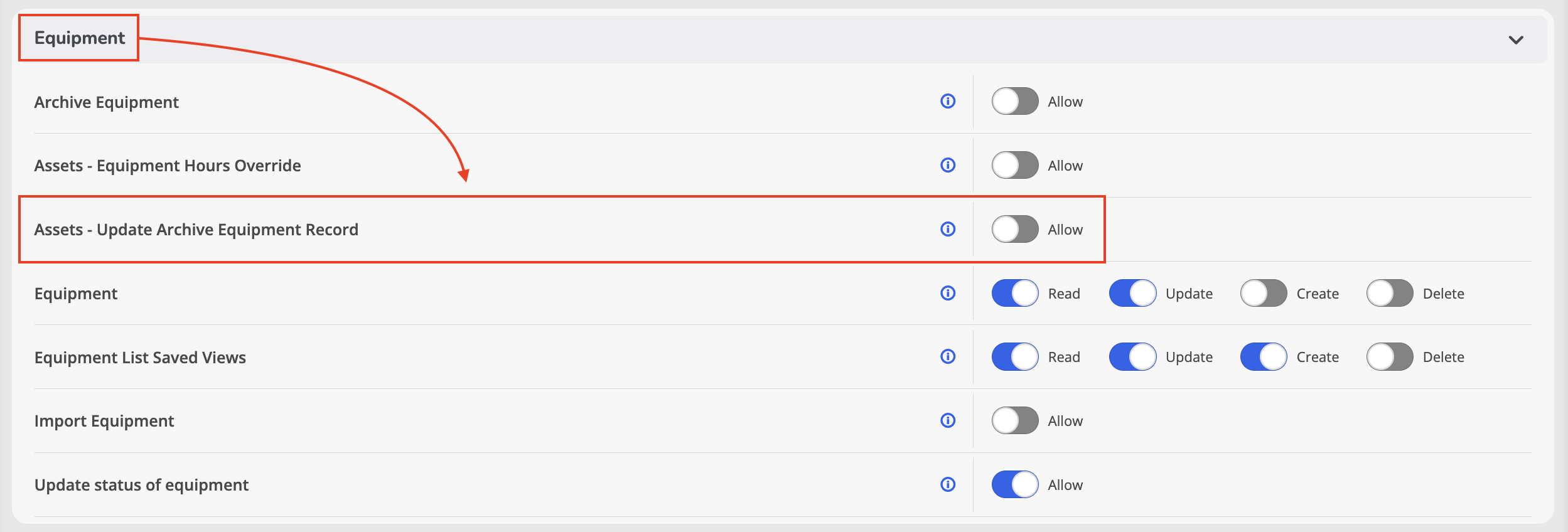
Archive Equipment Update Permission
- What - Added a new Update Archive Equipment Record permission that provides administrators with greater control over who can modify archived equipment records. When enabled for a user, the permission allows updates only to designated fields on archived equipment records.
- Why - Archived equipment is intended to serve as a historical reference. This new permission helps protect archived records from unintended changes while still allowing authorized users to update specific information when needed.
- How
- Navigate to Administration > Roles & Permissions.
- Enable the Update Archive Equipment Record permission for the appropriate user roles.
- Users assigned this permission can update supported fields on archived equipment records when the feature is enabled.
- By default, this permission is disabled for all roles except Global Administrators.
- Only the supported archived equipment fields can be modified; all other fields remain read-only.
- Use Case - An administrator can grant authorized personnel the ability to update select information, such as an archived asset's Assigned To, Home Location, or Replacement Date, while preventing broader changes to archived records and preserving the integrity of historical equipment data.
Enhancements
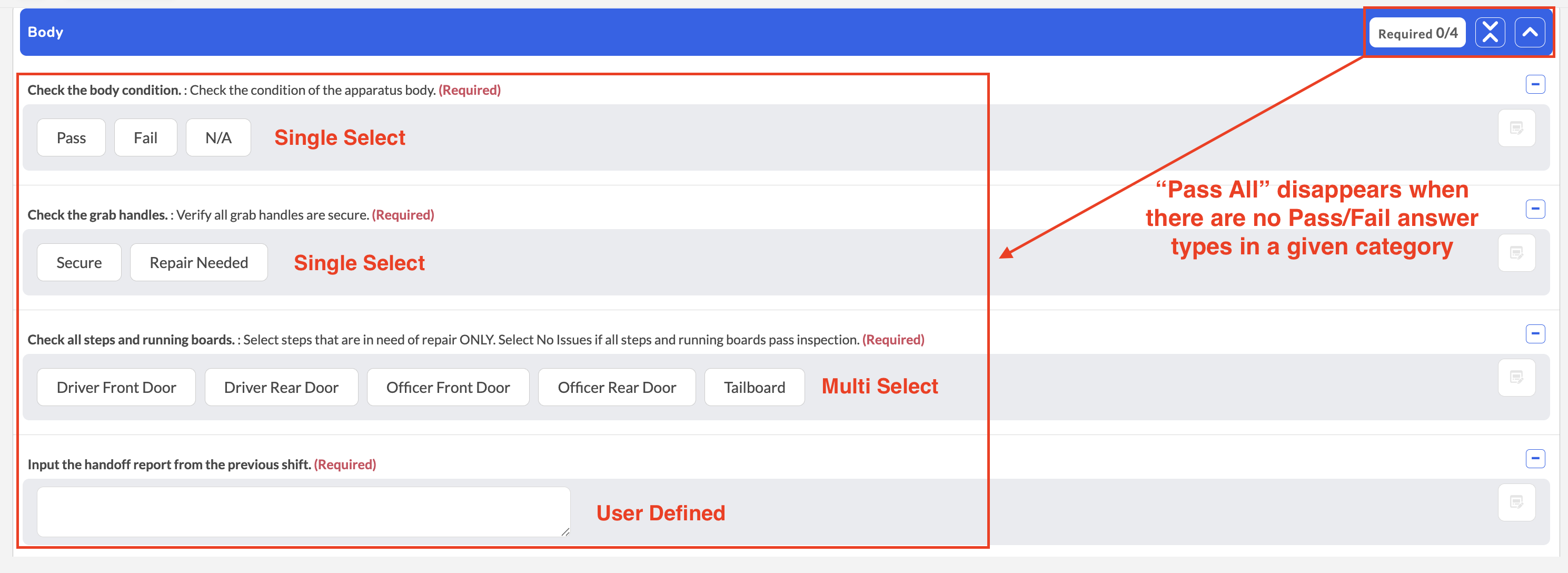
"Pass All" Button Displays Only for Applicable Checklist Sections
- What - The Pass All button now displays only in checklist sections that contain at least one true Pass/Fail question. Sections containing only single-select questions, including those configured with Pass, Fail, and N/A as selectable values, will no longer display the button.
- Why - This enhancement reduces confusion by ensuring the Pass All button is shown only when it performs a valid action, creating a clearer and more intuitive checklist experience.
- How
- Open an inspection or checklist.
- Navigate between checklist sections.
- Sections containing true Pass/Fail questions will display the Pass All button.
- Sections containing only single-select or other non-Pass/Fail question types will not display the Pass All button.
- Existing Pass All functionality remains unchanged for sections that contain true Pass/Fail questions.
- Use Case - When completing an equipment inspection with multiple sections, users will only see the Pass All button where true Pass/Fail questions exist. Sections containing informational or single-select questions will no longer display an unnecessary action, making the inspection process more intuitive.