Skip to main content
Assets Module - Assets Apparatus Details Report
Purpose
- To explain the Assets Apparatus Details report.
How is this report helpful?
- This report is a way to view the Apparatus Details for all of your apparatus.
- This report is especially helpful for third parties such as city fleet services.
Video
Directions
- Navigate to Reports Assets Reports.
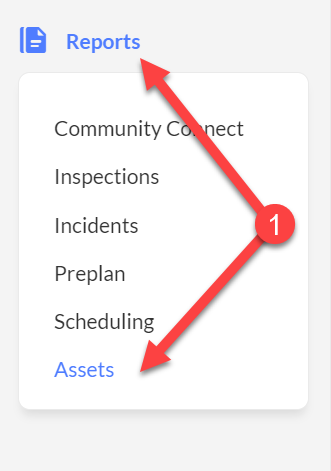
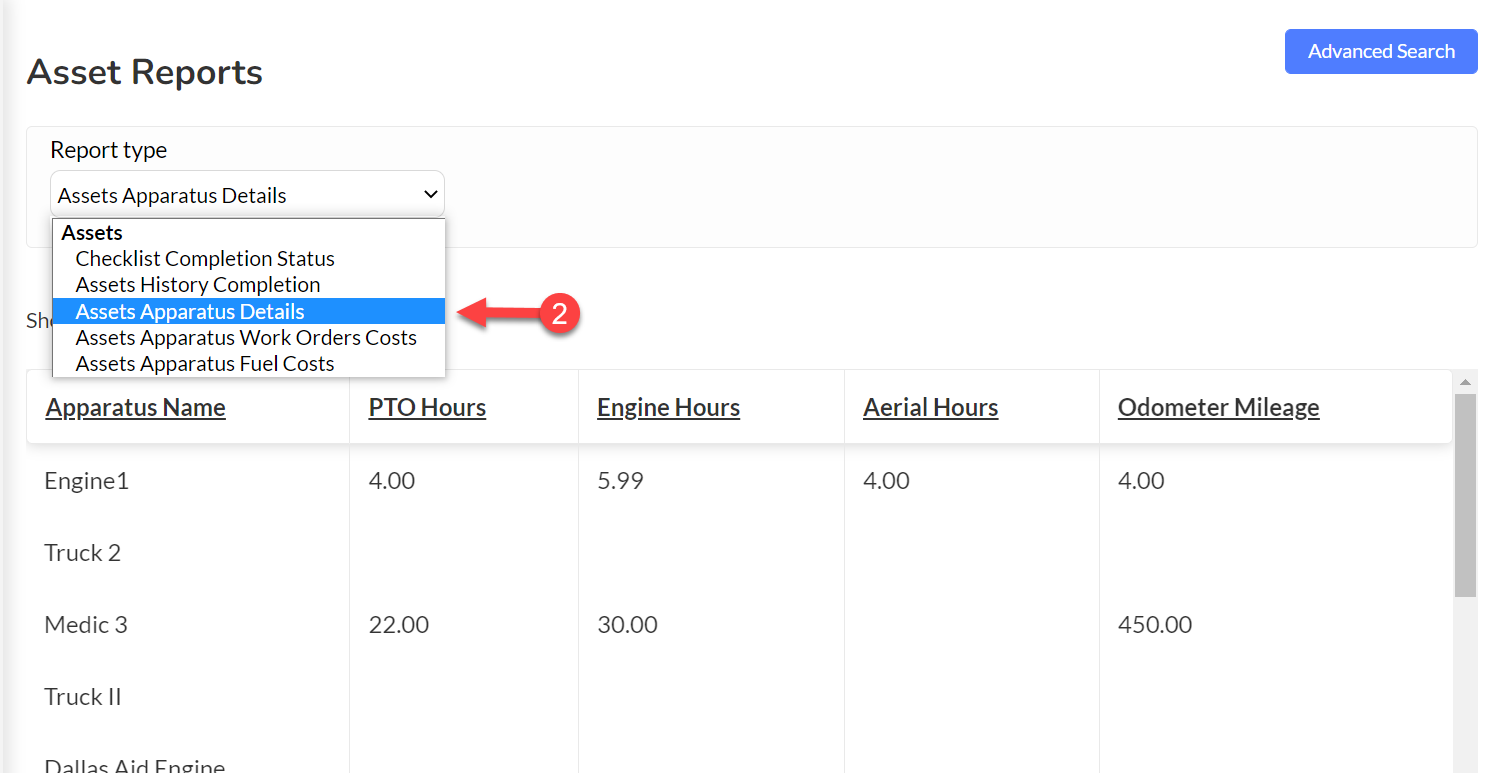
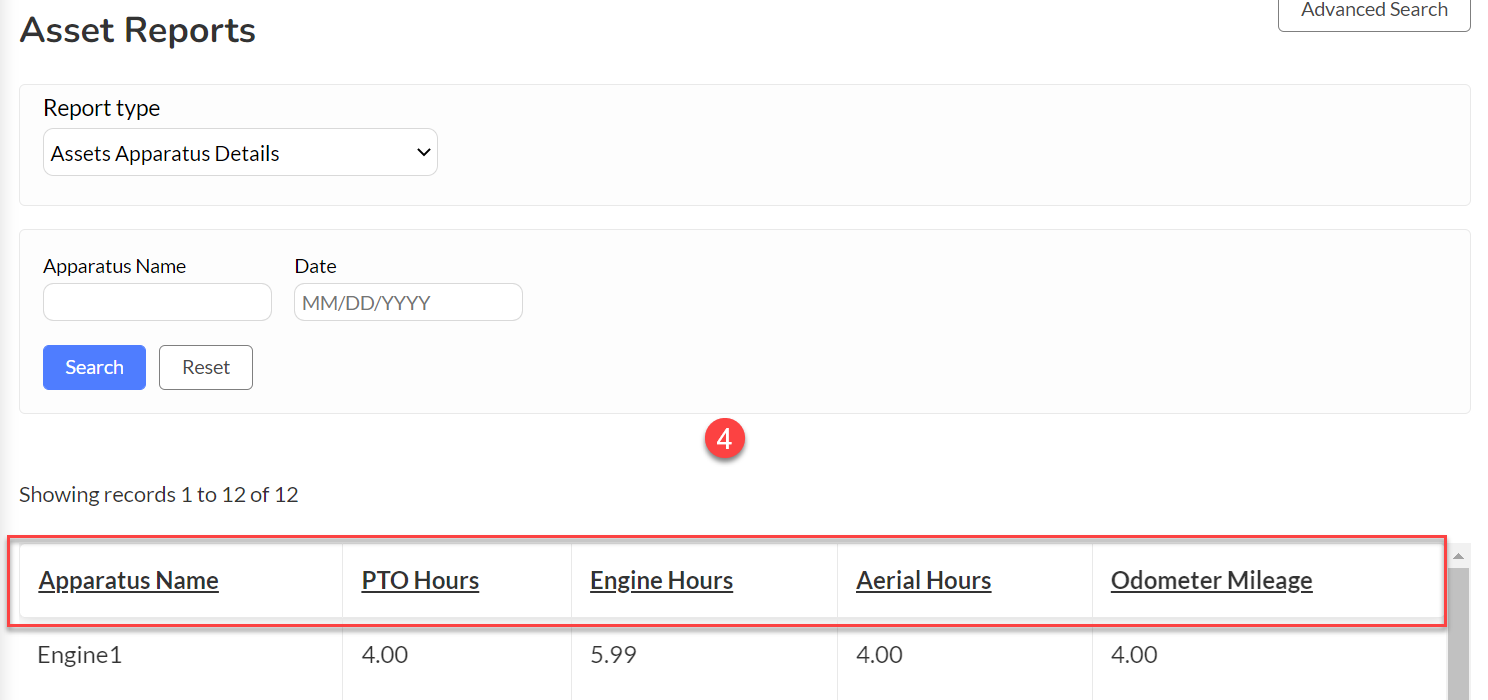
- Select the Assets Apparatus Details from the dropdown menu on the landing page.
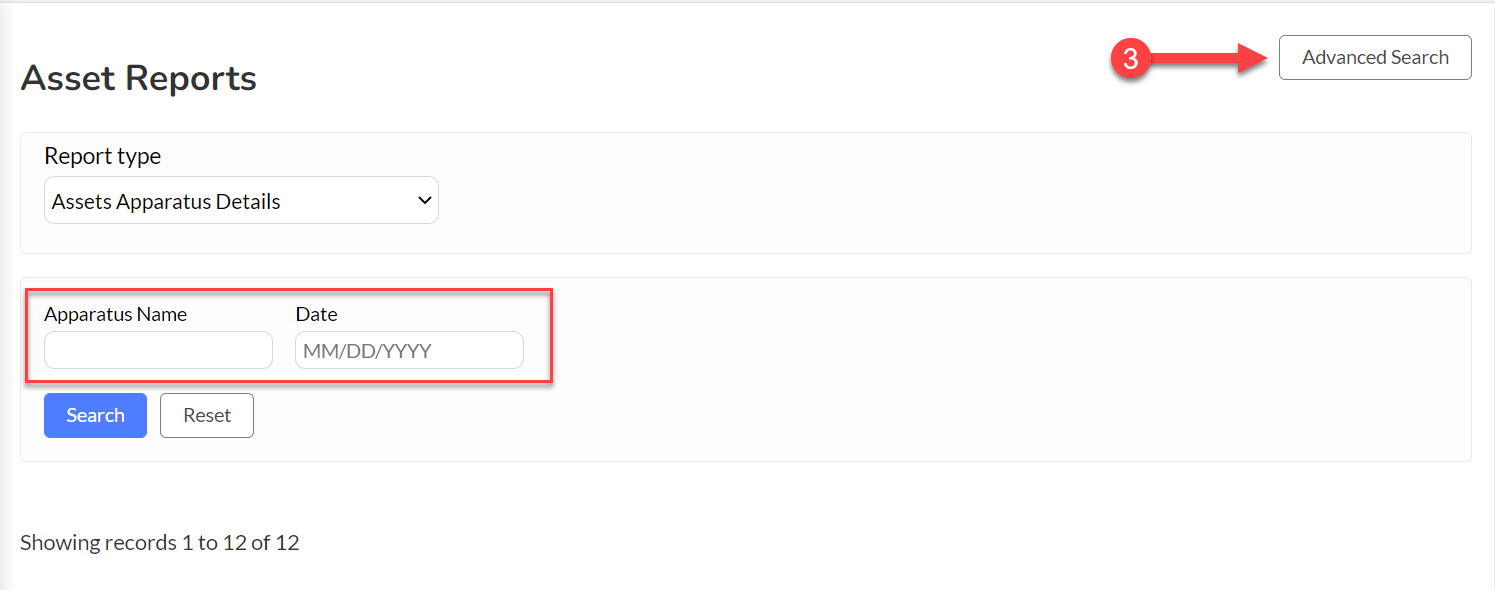
- The Advanced Search button will allow you to filter the data by Apparatus Name or Date.
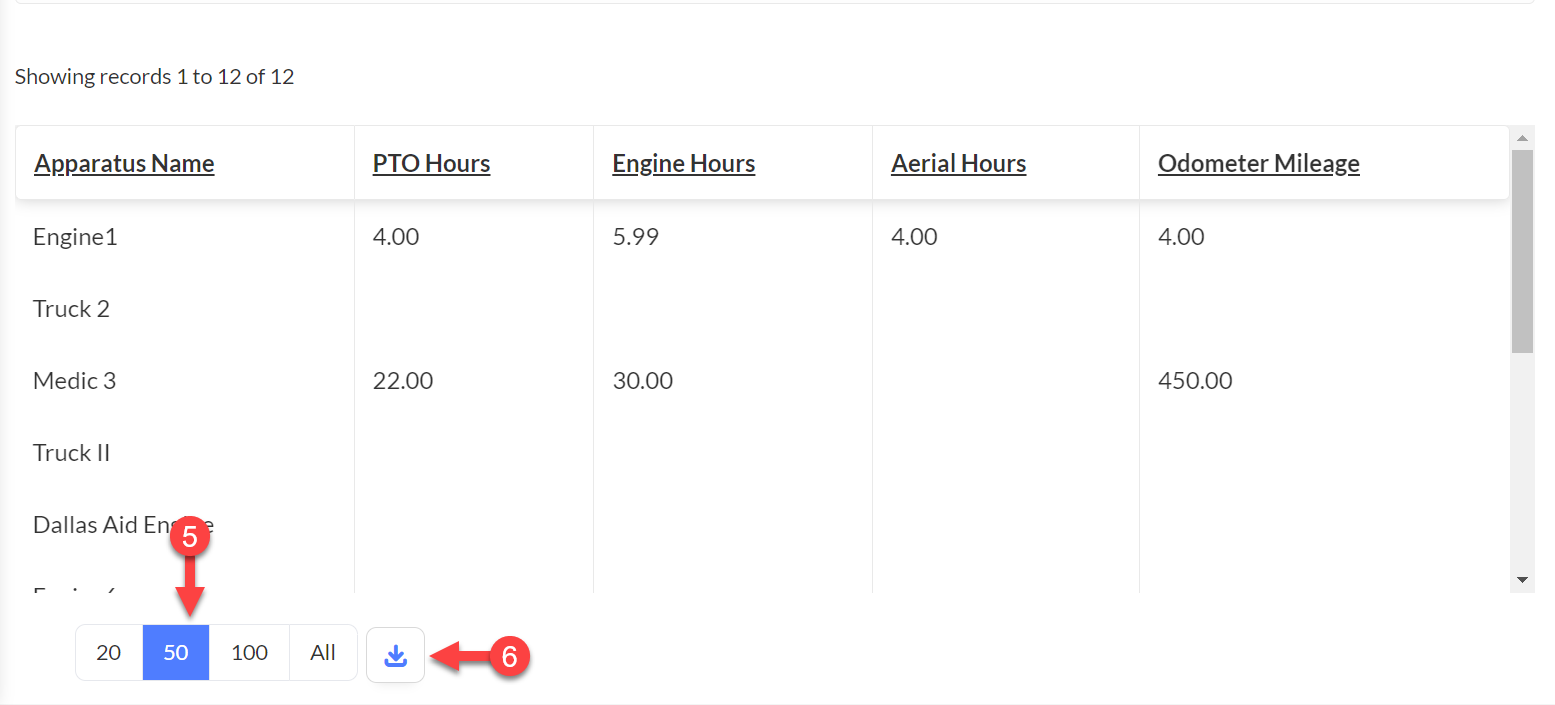
- The fields at the top of the data report can be used to sort the report by clicking the title.
- Select a View Count button to display the selected number of rows on a single page view.
- You can download the report into a CSV file by clicking on the
 icon at the bottom of the report.