Purpose Statement
AI-Powered ePCR Documentation streamlines the creation of Patient Care Reports by allowing EMS providers to verbally document patient care using medical-grade speech transcription and AI processing.
The feature converts spoken patient care information into structured ePCR documentation and can populate supported NEMSIS fields. This reduces manual data entry and allows EMS personnel to spend more time focused on patient care while maintaining responsibility for accurate and complete documentation.
AI-Powered ePCR Documentation can reduce post-call documentation time by approximately 60–70% when used effectively.
Background Information
AI-Powered ePCR Documentation uses speech recognition and natural language processing to convert spoken patient care information into structured ePCR data.
The system can recognize medical terminology, categorize information into appropriate fields, and assist with documenting information throughout a patient encounter. It supports up to 100 NEMSIS data fields and can process clinical information such as:
- Vital signs
- Medications administered
- Physical assessments
- Patient history
- Treatments and procedures
- Transport information
- Incident and response information
The feature operates using a Human-in-the-Loop approach. AI-generated information requires provider review and approval before the Patient Care Report is finalized.
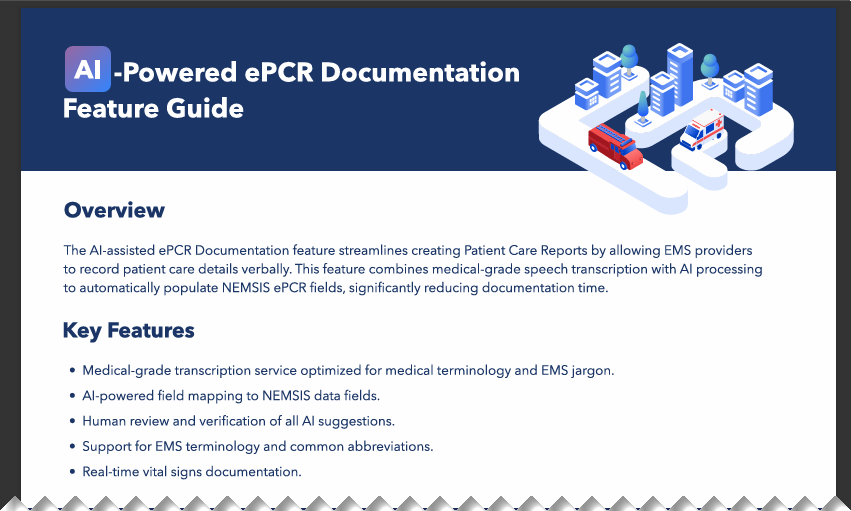
Featured Documentation Attachment at the Bottom of this Article:
Common Use Cases
AI-Powered ePCR Documentation can be useful for:
- Documenting patient care in the field
- Reducing post-call documentation time
- Creating more comprehensive patient care records
- Reducing repetitive manual data entry
- Minimizing transcription errors
- Supporting hands-free documentation during patient care
Prerequisites
Before using AI-Powered ePCR Documentation, ensure the following are available:
- First Due ePCR with the AI feature enabled
- A device with microphone capability
- A stable internet connection for cloud processing
- Familiarity with your agency's ePCR documentation requirements
Warning:
All AI suggestions must be reviewed and approved by licensed EMS providers. The system assists but does not replace proper medical documentation responsibilities.
Required Permissions
Users must have the appropriate ePCR and AI permissions assigned before they can use AI-Powered ePCR Documentation.
Required access includes:
- ePCR General EMS Care Report access — Access to EMS Incident Documentation
- ePCR General Create and Edit EMS Care Reports
- ePCR General View and Edit Patient Care Reports
- AI Documentation Enabled — ePCR AI generation permission
These permissions are typically assigned to EMS field personnel, supervisors, or designated QA reviewers based on agency configuration.
Warning: All AI-generated suggestions must be reviewed and approved by the EMS provider. AI assists with documentation but does not replace the provider's responsibility for accurate patient care documentation.
Note: If AI-Powered ePCR Documentation is not available, contact your First Due administrator to confirm that the feature is enabled and that the appropriate permissions have been assigned.
Open the Patient Care Report
Open the applicable incident and access the Patient Care Report within the ePCR module.
Confirm that you are documenting the correct patient and incident before beginning AI-assisted documentation.
Prepare for AI-Assisted Documentation
Before recording:
- Confirm that your device microphone is working properly.
- Position the device so your speech can be captured clearly.
- Review the Patient Care Report sections that may be populated.
- Reduce unnecessary background noise when possible.
Begin the AI Documentation Session
Start the AI documentation feature within the Patient Care Report and begin speaking naturally.
Think of the recording as a comprehensive patient handoff. Provide complete information using a logical sequence rather than isolated words or fragmented statements.
Document Patient Demographics and Scene Information
Clearly state available demographic and scene information.
Examples include:
- "68-year-old male patient responding to [full address]."
- "Patient lives at [home address if different]."
- "Patient resides within EMS service area."
- "Single patient located at the scene."
Include relevant scene safety or environmental information when applicable.
Document the Chief Complaint and Medical History
State the patient's primary complaint, associated symptoms, and relevant history.
Include:
- Chief complaint
- Onset and duration
- Pertinent medical history
- Current medications
- Known allergies
- Source of patient history
For example:
"Patient presents with chest pain beginning approximately 30 minutes ago. Patient has a history of hypertension and diabetes. Patient currently takes lisinopril 10 milligrams daily and metformin 500 milligrams twice daily. No known drug allergies. History obtained directly from the patient."
Document the Physical Assessment
Describe assessment findings using a consistent head-to-toe or system-by-system approach.
Include both positive and pertinent negative findings when appropriate.
Examples include:
- "Neurological assessment shows equal strength in all extremities."
- "Head examination shows no obvious abnormalities."
- "Abdominal examination reveals tenderness in the right lower quadrant."
- "Cervical spine tenderness present without obvious deformity."
Include changes in the patient's condition and the approximate time of those changes when relevant.
Document Vital Signs and Measurements
Clearly state each set of vital signs.
Include applicable measurements such as:
- Blood pressure
- Heart rate
- Respiratory rate
- Oxygen saturation
- Glasgow Coma Scale
- Pulse characteristics
- Measurement method when relevant
When multiple sets are collected, identify them by time or sequence.
For example:
"First set of vital signs at 14:25. Blood pressure 180 over 100, heart rate 110 and irregular, respiratory rate 22, oxygen saturation 94% on room air."
For Glasgow Coma Scale documentation, state each component and the total score.
For example:
"GCS eye 4, verbal 5, motor 6, total 15."
Document Protocols, Procedures, and Medications
Provide enough information for the AI to identify the treatment, procedure, medication, and related details.
When applicable, include:
- Protocol used
- Procedure performed
- Time performed
- Number of attempts
- Authorization method
- Medication name
- Dose
- Concentration
- Route
- Administration time
- Patient response
For example:
"Following adult abdominal pain protocol. Established IV access with one successful attempt. Administered medication per standing order protocol."
Document Response and Transport Information
Include relevant response and transport details when they are part of the patient care documentation.
Examples include:
- PSAP call received date and time
- Dispatch notification time
- EMS arrival time
- Number of patients
- Responding unit
- Dispatch priority
- Transport destination
For example:
"Single patient at the scene. Patient transported by Unit 4 to Memorial Hospital."
Review AI-Generated Documentation
After the AI processes the recording, carefully review all generated information.
Verify:
- Patient demographics
- Medical history
- Medications
- Allergies
- Assessment findings
- Vital signs
- Procedures
- Medication administration
- NEMSIS field selections
- Narrative content
- Transport information
Do not assume generated information is correct simply because it appears in the expected field.
Correct or Remove Inaccurate Information
Edit, reject, or remove any AI-generated information that does not accurately reflect the patient encounter.
Pay particular attention to:
- Numbers
- Medication doses
- Times
- Vital signs
- Medical terminology
- NEMSIS field mappings
- Duplicate entries
Finalize the Patient Care Report
Complete any remaining required ePCR fields and perform a final review of the entire report.
Confirm that all documentation accurately reflects the patient encounter before completing or submitting the Patient Care Report according to your agency's workflow.
Review Completing an ePCR - AI Enhancement for further details on documenting with AI.
How to Speak Effectively to the AI
Clear and structured verbal documentation can improve transcription and field-mapping accuracy.
Use a Consistent Sequence
A consistent documentation sequence can make recordings easier to review. Consider using the following general order:
- Patient demographics
- Scene information
- Chief complaint
- Medical history
- Medications and allergies
- Physical assessment
- Vital signs
- Treatments and procedures
- Patient response
- Transport information
Speak Clearly
Use a normal speaking pace and clearly pronounce medical terminology, numbers, medication names, measurements, and times.
Provide Context
Complete statements help the AI determine how information should be categorized.
Instead of stating:
"110."
Provide context:
"Heart rate is 110 beats per minute."
Clearly Identify Multiple Assessments
When documenting multiple sets of vital signs or assessments, identify each by time or sequence.
For example:
"Second set of vital signs at 14:42."
Be Specific With Medications
Include the medication name, dose, concentration when applicable, route, administration time, and patient response.
For example:
"Administered aspirin 324 milligrams chewed at 14:28."
Use Case Examples
Example 1: Cardiac Emergency
Scenario: 65-year-old male experiencing chest pain.
"Responding to 123 Main Street for a 65-year-old male patient with a chief complaint of crushing chest pain radiating to the left arm, onset 30 minutes ago. Patient has a history of hypertension and diabetes and takes lisinopril 10 milligrams daily and metformin 500 milligrams twice daily. No known allergies. Vital signs at 14:25 show blood pressure 180 over 100, heart rate 110 and irregular, respiratory rate 22, oxygen saturation 94% on room air. Following cardiac protocol, established IV access, administered aspirin 324 milligrams chewed, and nitroglycerin 0.4 milligrams sublingual per protocol."
Example 2: Trauma Call
Scenario: Motor vehicle collision with injuries.
"Responding to a motor vehicle collision at Highway 50 and Oak Street. Twenty-eight-year-old female driver, restrained, with airbag deployment. Chief complaint is neck and back pain. Patient has no significant medical history, takes no medications, and has no known allergies. Physical assessment shows cervical spine tenderness with no obvious deformity. Neurological assessment is intact in all extremities. Applied cervical collar and full spinal immobilization per trauma protocol. Vital signs remained stable throughout transport."
Best Practices
Do
- Speak clearly at a normal pace.
- Treat the recording like a comprehensive patient handoff.
- Use complete sentences and a logical sequence.
- Include specific measurements, times, medication doses, and routes.
- Use standard medical terminology and recognized EMS abbreviations.
- Include relevant clinical information in the initial recording when possible.
- Review every AI-generated suggestion before accepting it.
- Verify documentation accuracy before finalizing the Patient Care Report.
- Use available feedback tools to report transcription or field-mapping issues.
- Develop a consistent verbal documentation pattern.
Don't
- Don't speak so quickly that important medical terminology or numbers become unclear.
- Don't rely on AI-generated suggestions without reviewing them.
- Don't skip the final verification process.
- Don't assume medical terminology has been interpreted correctly.
- Don't submit documentation without confirming that it is complete and accurate.
- Don't use AI as a replacement for required medical documentation practices.
- Don't overlook duplicate information created during multiple recording sessions.
Optimization Tips
- Use terminology consistent with your agency's standard documentation practices.
- Clearly pronounce numbers, measurements, medication names, and dosages.
- Provide context when documenting complex clinical situations.
- Use a consistent structure for verbal reports.
- Clearly describe changes using phrases such as "improved from previous assessment" or "remains stable."
- Include comprehensive information during the initial recording to reduce later manual entry.
- Review generated information immediately when possible so inaccuracies can be identified while the patient encounter is still fresh.
Performance Metrics
Agencies may evaluate the effectiveness of AI-Powered ePCR Documentation using several indicators.
Potential Success Indicators
- Documentation Time Reduction: Target reduction of approximately 60–70% in post-call documentation time.
- Accuracy: Monitor the accuracy of AI-generated content.
- Field Completion: Review completion of required ePCR fields.
- User Adoption: Track the percentage of eligible patient encounters using AI-assisted documentation.
Monitoring Areas
Monitoring may include:
- AI transcription accuracy
- Post-call documentation completeness
- Agency usage trends
- Quality assurance review findings
Advanced Features & Integrations
NEMSIS Documentation
AI-Powered ePCR Documentation can populate supported NEMSIS data fields based on information provided during the recording.
Providers remain responsible for reviewing field selections and confirming that the final Patient Care Report meets applicable reporting requirements.
CAD Integration
When ePCR is integrated with a Computer-Aided Dispatch system, available incident information such as incident numbers, dispatch times, and response information may already be available within the incident workflow.
Quality Assurance
AI-assisted Patient Care Reports can continue through applicable agency quality assurance processes, allowing supervisors or designated reviewers to evaluate documentation accuracy and completeness.
Troubleshooting & FAQs
The AI isn't correctly interpreting some medical terms. How can I improve accuracy?
Speak clearly at a normal pace and use standard medical terminology or commonly recognized EMS abbreviations. Carefully review the generated content and use the available feedback process to report recurring transcription issues.
I made multiple recordings and now have duplicate vital-sign entries. What should I do?
Review all generated entries before finalizing the Patient Care Report. Remove duplicate information and retain the entries that accurately represent the patient encounter. Using fewer, more comprehensive recording sessions can also help reduce unnecessary duplication.
The AI suggested incorrect information for a NEMSIS field. What should I do?
Do not accept incorrect information. Edit, reject, or remove the generated value as appropriate. Always verify field mappings before finalizing the report.
My narrative became very long after multiple recordings. Can I edit it?
Yes. Review the generated narrative and edit it as necessary to remove redundant information, improve readability, and ensure the final narrative accurately reflects the patient encounter.
Will the AI work with different accents or speaking styles?
Speech recognition results can vary based on pronunciation, speaking style, audio quality, terminology, and environmental conditions. Speak clearly and consistently, and always verify the resulting transcription.
Can I use AI documentation in a noisy ambulance or scene environment?
Audio quality can affect transcription accuracy. Reduce background noise when possible and position the microphone so your voice can be captured clearly. A suitable headset or microphone may help in noisy environments.
What should I do if the transcription does not capture everything I said?
Review the generated documentation and manually add or correct any missing information. For future recordings, speak at a normal pace, clearly pronounce important medical terminology and numbers, and reduce background noise when possible.
What happens if something I said was incorrect?
Review the generated information and correct it before finalizing the Patient Care Report. The provider is responsible for ensuring the final documentation accurately represents the patient encounter.
How should I handle complex multi-patient scenes?
Maintain separate documentation for each patient and clearly identify which patient is being discussed during each documentation session. Carefully review all generated information to ensure documentation has been associated with the correct patient.
Am I still responsible for the accuracy of AI-generated documentation?
Yes. AI-Powered ePCR Documentation operates using a Human-in-the-Loop approach. The AI assists with documentation, but the EMS provider remains responsible for reviewing, correcting, verifying, and approving the final Patient Care Report.